Match mode
Switch quickly between cheers, celebrations, and disappointment. Choose your sounds, team name, player number, and color, then shake your iPhone.
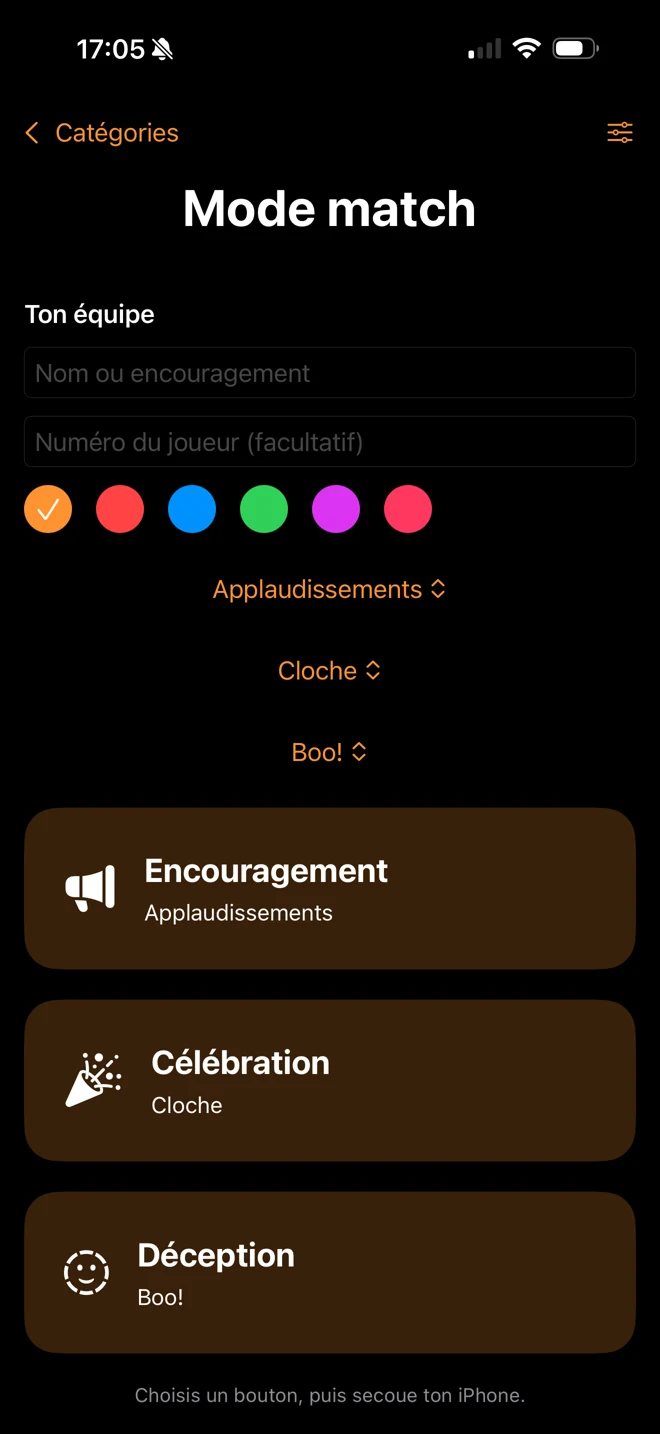
Replace bulky cheering gear with your iPhone.
Bells, horns, applause: choose a sound and shake to cheer on your team. With Pro + My Sounds, make your real voice heard too.

From the first cheer to the final celebration, keep your sounds and your real voice close at hand.
Switch quickly between cheers, celebrations, and disappointment. Choose your sounds, team name, player number, and color, then shake your iPhone.
Tap a sound’s star to find it quickly from the home screen. Keep up to three favorites ready to bring the energy without searching.
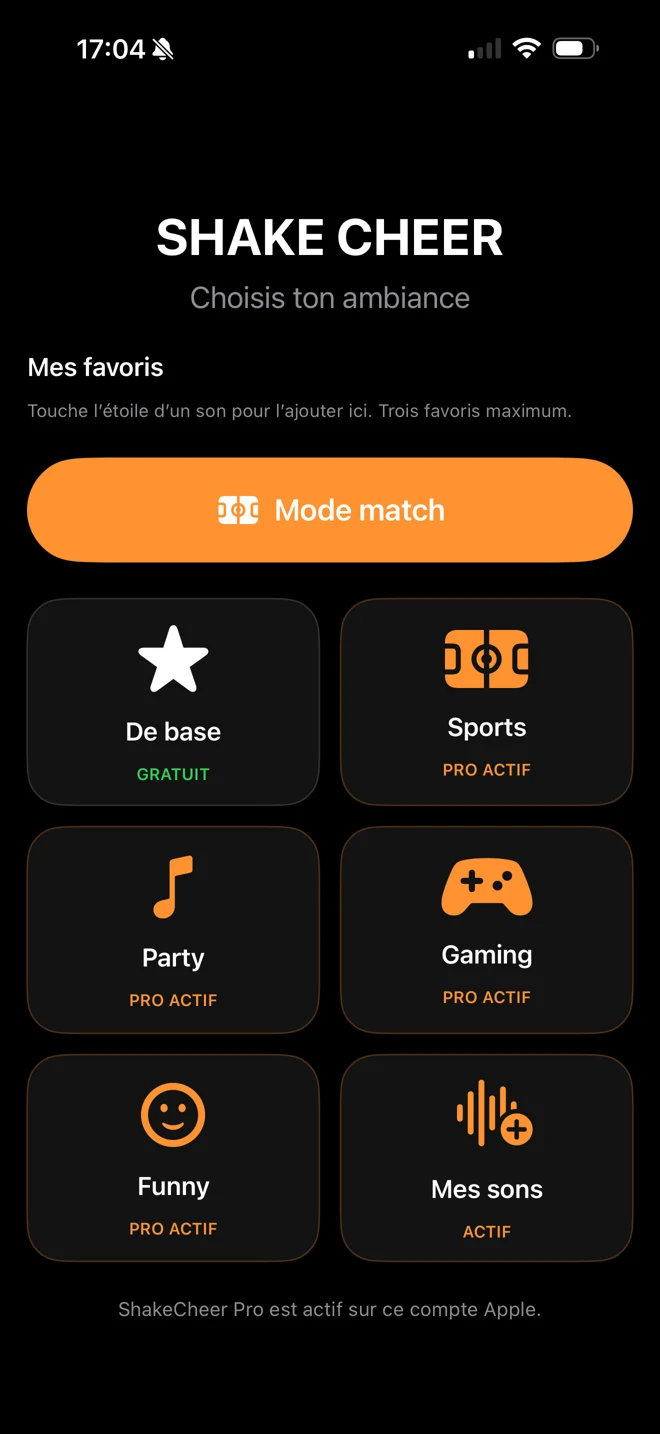
With Pro + My Sounds, import an audio file or record your own cheer. Save it, then shake to play it. Your recording stays on your iPhone.
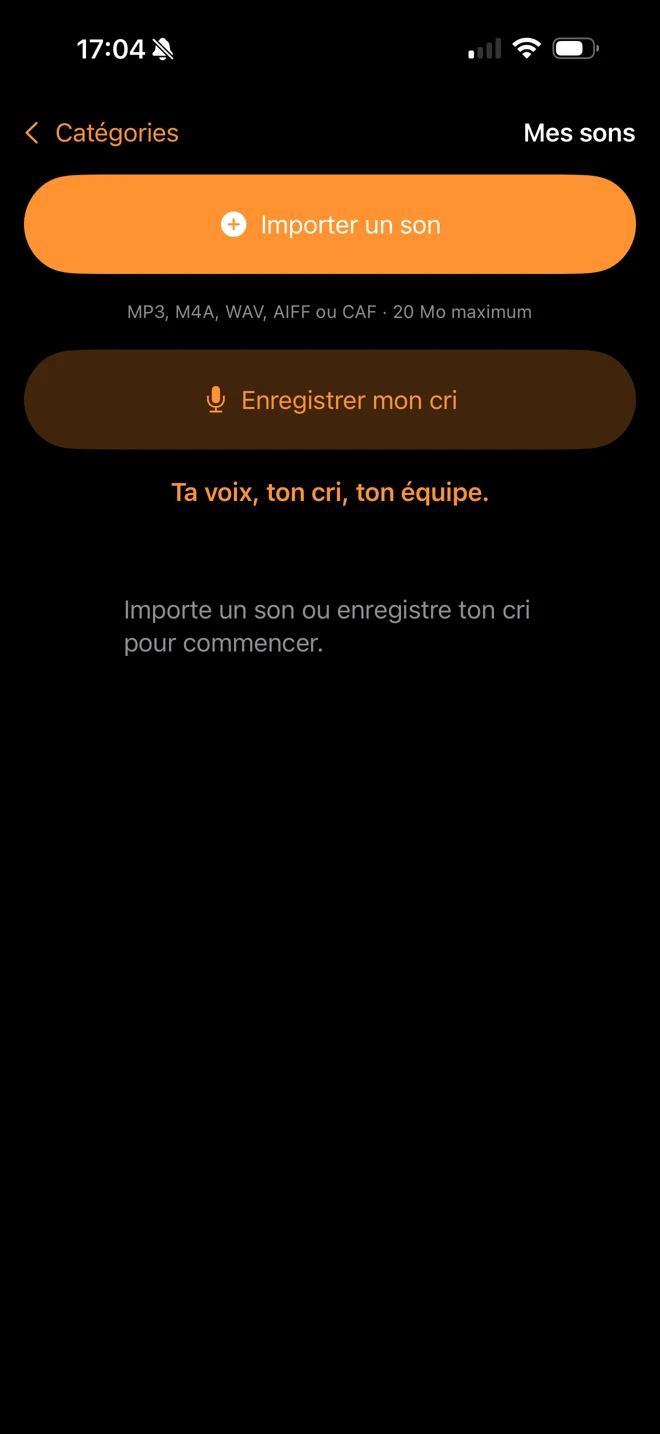
Screenshots show Pro and My Sounds access enabled. Pro categories and personal sounds require the corresponding purchases. These features are included in version 1.5, submitted to Apple.
Quickly find instructions about using the app, purchases, advertising, and privacy.

Select a category and a sound, then tap START. Sounds will respond to your iPhone’s movement.
Tap the screen to stop a session. Swipe on the sound selection screen to choose another sound.

ShakeCheer Pro is a one-time purchase with no subscription. It unlocks the Pro categories and removes advertising.
Pro + My Sounds adds audio import and recording your own cheers. Already own Pro? The My Sounds upgrade is available separately.
If your purchase no longer appears, open the ShakeCheer Pro screen and tap Restore Purchases.

In the free version, watching an ad may provide 30 minutes without advertising. If no ad is available, the app will continue to work.
Your recordings stay on your iPhone. The microphone is used with your permission to record your cheers. Read our policy for details about motion sensors, Apple purchases, and Google advertising services.
Read the policyInclude your iPhone model, iOS version, and a brief description of the issue.